 Shehab Amin
 Everett Roeth
To run real work in production, sometimes you have to reach a cluster that lives privately inside your own cloud, with no public address. Reaching it from outside has usually meant getting onto its network yourself first. We just shipped a way around it in LakeSail Cloud, the Session: with an access-scoped, time-boxed token, you can reach your LakeSail cluster from anywhere through one hardened gate, while the cluster stays private.
Mint a token, point a client at it, and run queries and workloads against the live cluster from anywhere. The same path that works from your laptop works for a coding agent. We built Sessions for both.
Why Sessions
A Session is a secure way to run real workloads against a LakeSail cluster that lives privately in your own AWS account. You generate a token, scoped to the work you want done and good for as long as you decide, and use it to connect from anywhere.
The data lives in a cluster in your own cloud, and by default that cluster is private: its compute takes no inbound connections from the open internet, the standard posture for many production systems.
You use an access-scoped, time-boxed token to connect to your private LakeSail cluster through a secure tunnel. The token is pinned to one compute profile and runs under the owner’s permissions, so it reaches only the data that profile is configured for and nothing beyond what the owner can already see: one workload, for exactly as long as you allow, whether a person or an agent is holding it.
It’s There When You Want It
A running cloud cluster should feel like something you can reach for, not something you negotiate with. With a Session it does.
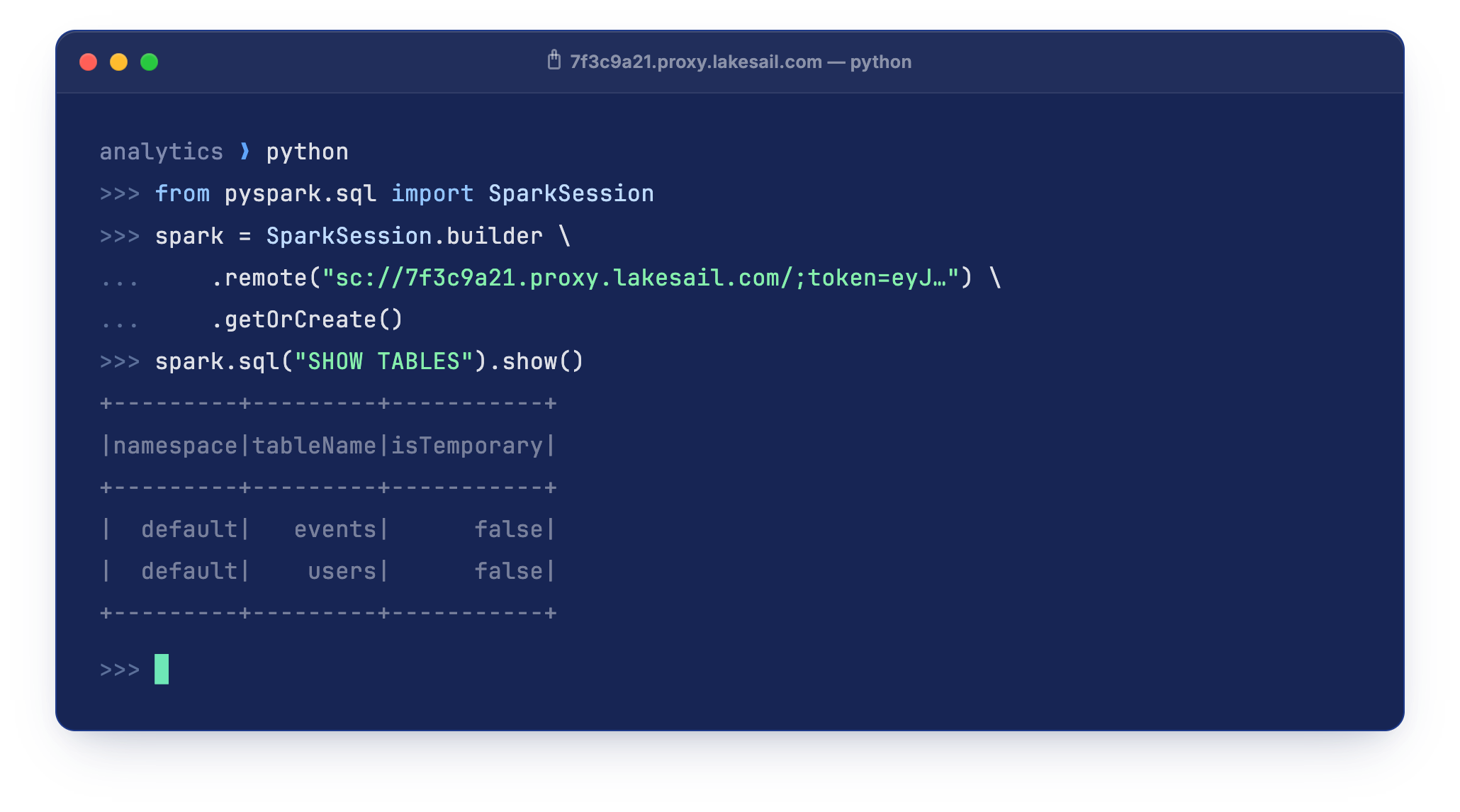
Grab a token, point your client at it, and that is the flow. There is nothing to stand up first and nothing to wire together. It stays ordinary Spark Connect, so your existing PySpark, Spark SQL, and DataFrame code connects the way it always has, with nothing new to learn.
Compute comes up on demand when you open a Session, and when your cluster already has warm capacity the first query lands in seconds. Go quiet and the Session reclaims that compute, so you are not paying for it to sit warm between tasks. Connect, run, walk away, and come back later with a fresh Session.
A person on a laptop and an agent in a pipeline take the exact same path, from anywhere in the world.
The Cluster Stays Private
None of this loosens the cluster’s posture. You connect through a hardened proxy that validates your scoped, time-boxed token. It opens only for a valid signed token, and forwards only to the one internal address that token is scoped to. Your compute never gets a public address of its own, and your data never leaves your cloud account.
One scoped token, one hardened gate, into compute that never gets a public address.
Three controls hold that boundary:
- The proxy runs inside your own cluster, so LakeSail is never in the path your data takes.
- The token is signed with a key unique to your cluster (ES256), scoped to one workload and one owner, and short-lived by default. The proxy holds only the matching public key, so it can verify a token but never mint one.
- The proxy is stateless. It reads the signature, the expiry, and the single internal address to route to straight from the token, so a leaked token still opens only that one workload, nothing else.
Hand It to Your Coding Agent
A token your client can carry is a token your agent can carry. Hand a Session to a coding agent and it has a live LakeSail cluster to run real queries and workloads against, without you standing up infrastructure or threading credentials through it by hand.
Sessions replace standing trust with bounded trust. You are not granting an agent standing access to your environment. You are issuing one Session that says: this workload, this long, nothing else. Scope it to one task. Or, give it a lifetime of fifteen minutes. Give it to the agent and let it run. Inside that boundary the agent has real compute and real data and can move fast. It cannot jump to another workload, and it cannot raise its own privileges. When the Session’s time is up, the gate stops honoring its token, and getting back in takes a fresh one.
The Session token is a scoped, signed credential: one owner, one workload, one audience, and an expiry. Nothing more.
A token controls access, not the life of the work. If a job runs past its token it keeps running: the Session stays visible and manageable in LakeSail Cloud, and a new token reconnects you to it. Renewing tokens automatically from the client is on the way; for now you reissue one when you need it.
What This Looks Like in Practice
The same Session, plus the same engine, shows up across very different workflows.
Explore Production Data From Your Laptop
Point a local notebook or IDE at a Session and query production-scale tables interactively. No copying a sample down, no local engine that behaves differently from the real one. Because what answers is the LakeSail engine, the first query lands fast and the explore-and-refine loop stays tight instead of stalling between runs.
Run a UDF-Heavy Job From a Pipeline
A scheduled pipeline or CI step mints a short-lived Session token, runs its job against the cluster, and finishes, with no long-lived credential baked into the runner. And the job itself is the kind LakeSail is built for: enrichment and feature work full of Python UDFs. LakeSail runs them inside the engine with no copy, skipping the JVM-to-Python serialization that makes the same job crawl on Spark.
Fan a Task Out Across Agents
Hand each agent its own scoped token and let ten of them work ten tasks in parallel, every Session attributable on its own, and closing one immediately makes its token useless. LakeSail’s lightweight workers come up fast, so a burst of small parallel jobs starts quickly and releases its compute once it goes idle. You pay for the work, not to keep compute warm between bursts.
Run It on LakeSail Cloud
Sail is open source, and you can run it yourself. LakeSail Cloud runs it in production for you, in your own cloud. The private cluster, the hardened Session gate, the autoscaling, the security: all provisioned and managed where your data already lives.
Pricing is usage-based and completely transparent: you pay AWS directly for the hardware, plus a small fee to LakeSail. No multiplier on top of your compute. The way it should be. See more details on our pricing page.
Spin up a cluster, open a Session, and connect from your own machine. See the Sessions guide to get started. Want to learn more about running Sail in production on your own cloud? Sign up for LakeSail Cloud, or reach out for help migrating an existing workload or getting started for the first time.